What Is Adflipr? Email Marketing App for Shopify & WooCommerce
By Kanishak Sharma, Adflipr
If you run a Shopify or WooCommerce store, you already know email matters. The harder part is the setup. Most email tools were built for newsletters first and ecommerce second, or they were built for big brands with a full-time retention team. Small and mid-sized stores end up somewhere in the middle: paying for features they never open, or stitching together a popup app, a cart recovery app and a newsletter tool that don't talk to each other.
Adflipr is our answer to that. It's an email marketing app and marketing automation platform built specifically for Shopify and WooCommerce stores: email first, with WhatsApp and web push in the same flows. This post covers what it does, how it works with your store, what's included, how it compares and what's coming next, so you can decide whether it fits.
Why we built Adflipr
Store owners need a small number of things to work really well:
- catch people who leave at checkout,
- welcome new subscribers properly,
- follow up after an order,
- send a campaign when there's something worth saying,
- and grow the list in the first place.
That's most of ecommerce email. You don't need forty automations on day one. You need three or four that run reliably, use your real store data, and don't take a week to set up.
So Adflipr is ecommerce-first. Products, prices, coupons, carts and orders come from your store, and the emails, flows and popups are built around them. If you've looked at Klaviyo and felt it was more than your store needs right now, that's the gap we're aiming at: a simpler, lighter tool that still does the ecommerce parts properly.
How Adflipr works with Shopify and WooCommerce
On Shopify, Adflipr is an app on the Shopify App Store (Adflipr: Email Marketing, listed since January 30, 2026). You install it, connect your store, and your products, coupons and customers become available inside Adflipr. More here: Adflipr for Shopify
On WooCommerce, there's a free plugin on WordPress.org, Adflipr for WooCommerce. It syncs products, coupons, orders and, where available, subscription data. A few details that matter if you've been burned by plugins before:
- it works with both the classic checkout and the newer block checkout,
- it's compatible with WooCommerce's High-Performance Order Storage (HPOS),
- if Adflipr is briefly unreachable, an offline retry queue holds the data and sends it later instead of losing it,
- popups are consent-aware, so they can wait for your cookie banner,
- UTM storage is off by default.
It needs WordPress 6.4+, WooCommerce 8.0+ and PHP 8.1+.
Since version 1.0.74 (September 2026), the plugin also picks up price and stock changes the moment you save a product, including the old price before WooCommerce overwrites it. That's what makes price-drop emails possible.
More here: Adflipr for WooCommerce
What Adflipr does
1. Abandoned cart recovery
Baymard Institute puts the average documented cart abandonment rate at 70.22% (2026). Most of those shoppers aren't gone for good; they got distracted, wanted to compare, or got surprised by shipping costs.
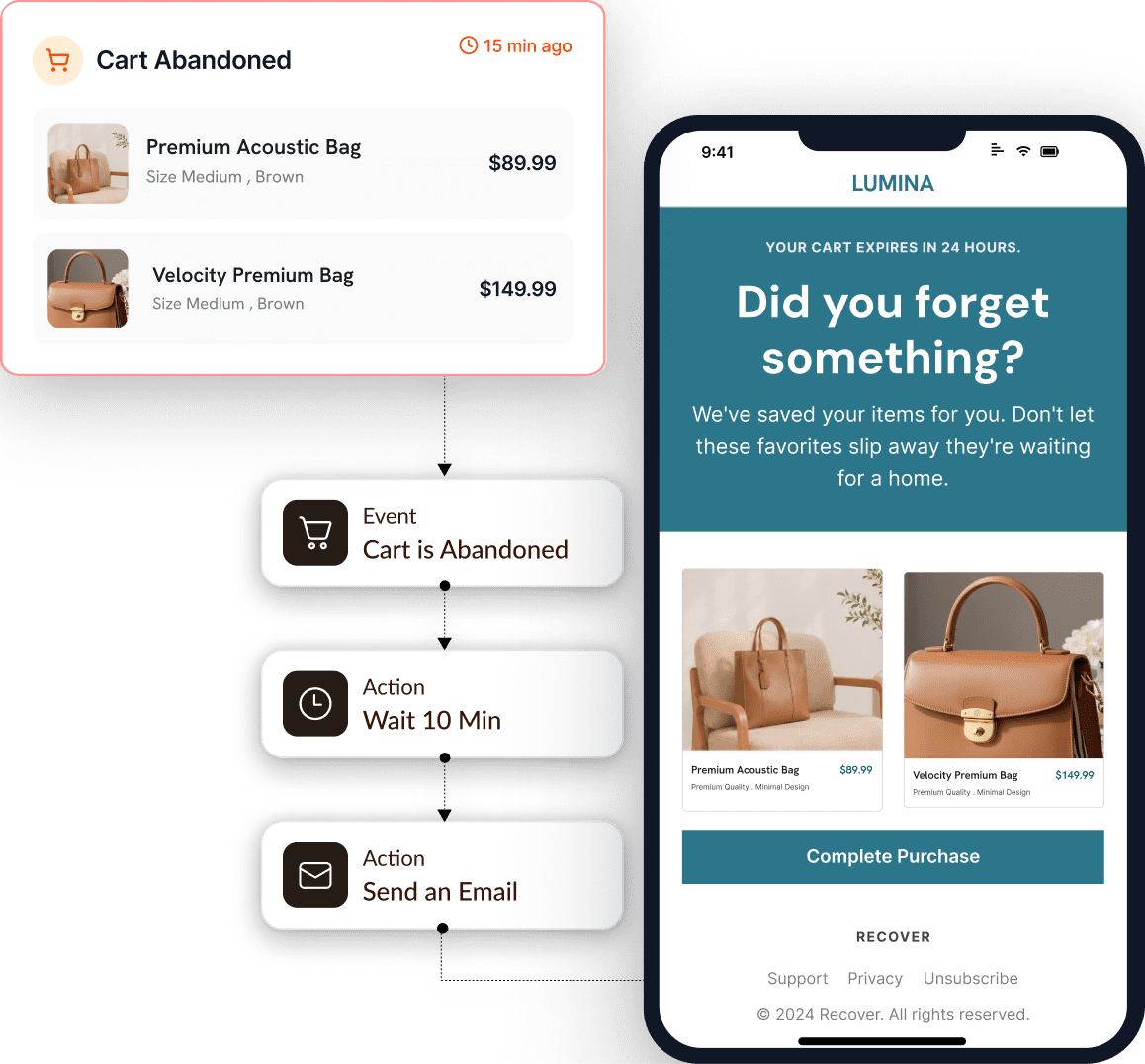
An abandoned cart flow in Adflipr: cart abandoned, wait, then send the reminder email
Adflipr captures the cart session the moment a customer types their email at checkout. From there, an abandoned cart flow can send a reminder, then a follow-up, then (if you want) an incentive in the last email. Our advice: keep discounts for the last email, so you don't teach customers to abandon on purpose.
One honest limit: if a shopper never enters an email, there's nobody to send to. No tool can recover a fully anonymous cart by email, and we won't pretend otherwise.
The abandoned cart block in the builder shows what people need to finish the order: product image, name and variant, quantity, price, subtotal, shipping, taxes, discount, final total, a single "Continue checkout" button, and a checkout link unique to that customer.
More here: Abandoned cart recovery. For timing, email sequences and a tool comparison, read our complete guide to abandoned cart recovery for Shopify and WooCommerce.
2. Automations and triggers
Flows start from triggers. Adflipr's trigger list covers three groups:
- Contact triggers: tag added or removed, list added or removed, subscribes, unsubscribes, bounced, marked as spam, form submitted, birthday or anniversary.
- Ecommerce triggers: abandoned cart, cart recovered, coupon created, customer winback.
- Email activity: sent, opened, unopened, clicked any link, didn't click.
That's enough to build the flows most stores actually use: a welcome series, cart recovery, post-purchase follow-up, a birthday email, and a winback for customers who've gone quiet. "Cart recovered" being its own trigger is handy, because a recovered cart can start a different flow (a thank-you) instead of the next reminder.
More here: Automations
3. Drag-and-drop email builder with store blocks
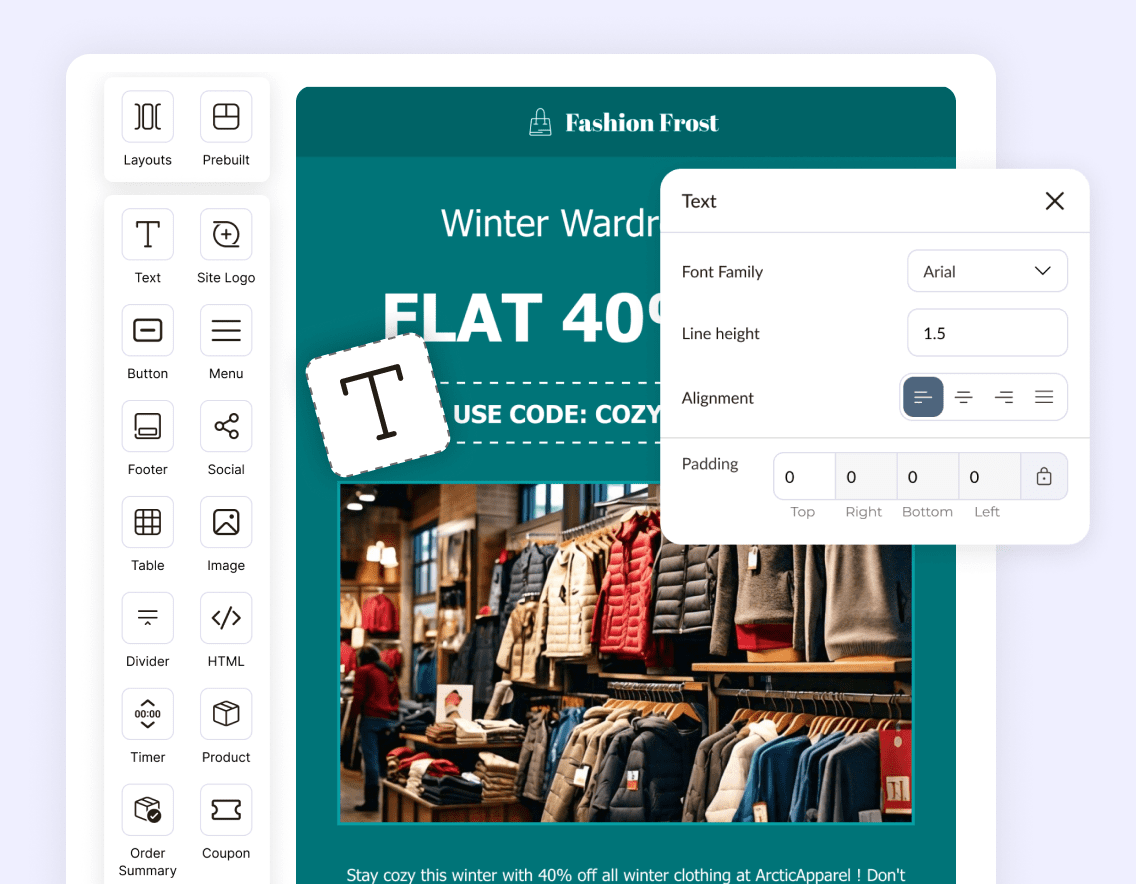
The Adflipr drag-and-drop email builder
The builder is drag-and-drop, and the useful part is the store blocks:
- Product block: pulls the live image, title and price from your store, in one, two or three columns. Prices come from the store, so you never paste one by hand and get it wrong.
- Coupon block: pick an existing store coupon or type a custom code, with an expiry and a button.
- Abandoned cart block: described above.
- Post block: pulls in live WordPress articles, handy for content newsletters.
- Reusable blocks: save your footer, logo and social block once and reuse them.
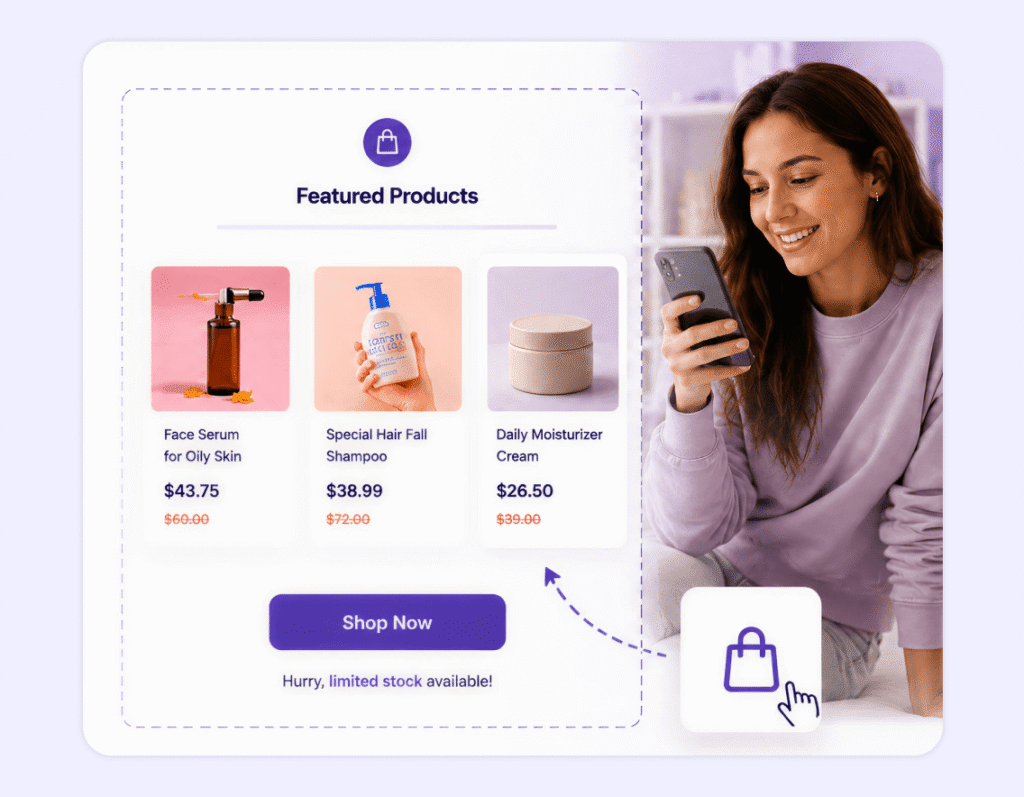
A product block pulling live products and prices from the store
Before a campaign goes out, the pre-send audit checks for problems like missing or broken links, a missing unsubscribe tag, and email size, with a warning when an email is big enough that Gmail may clip it.
There are 80+ ready-made templates if you'd rather not start from a blank page.
More here: Email builder
4. Popups and forms to grow your list
Email only works if people subscribe. Adflipr's popup builder has five formats: popup, embedded form, spin-the-wheel, banner and side message. You can:
- run multi-step forms (email on step one, phone number on step two),
- use exit intent as a second chance,
- target by page, URL pattern, query parameter or device,
- preview the popup on your actual site before publishing,
- export submissions.
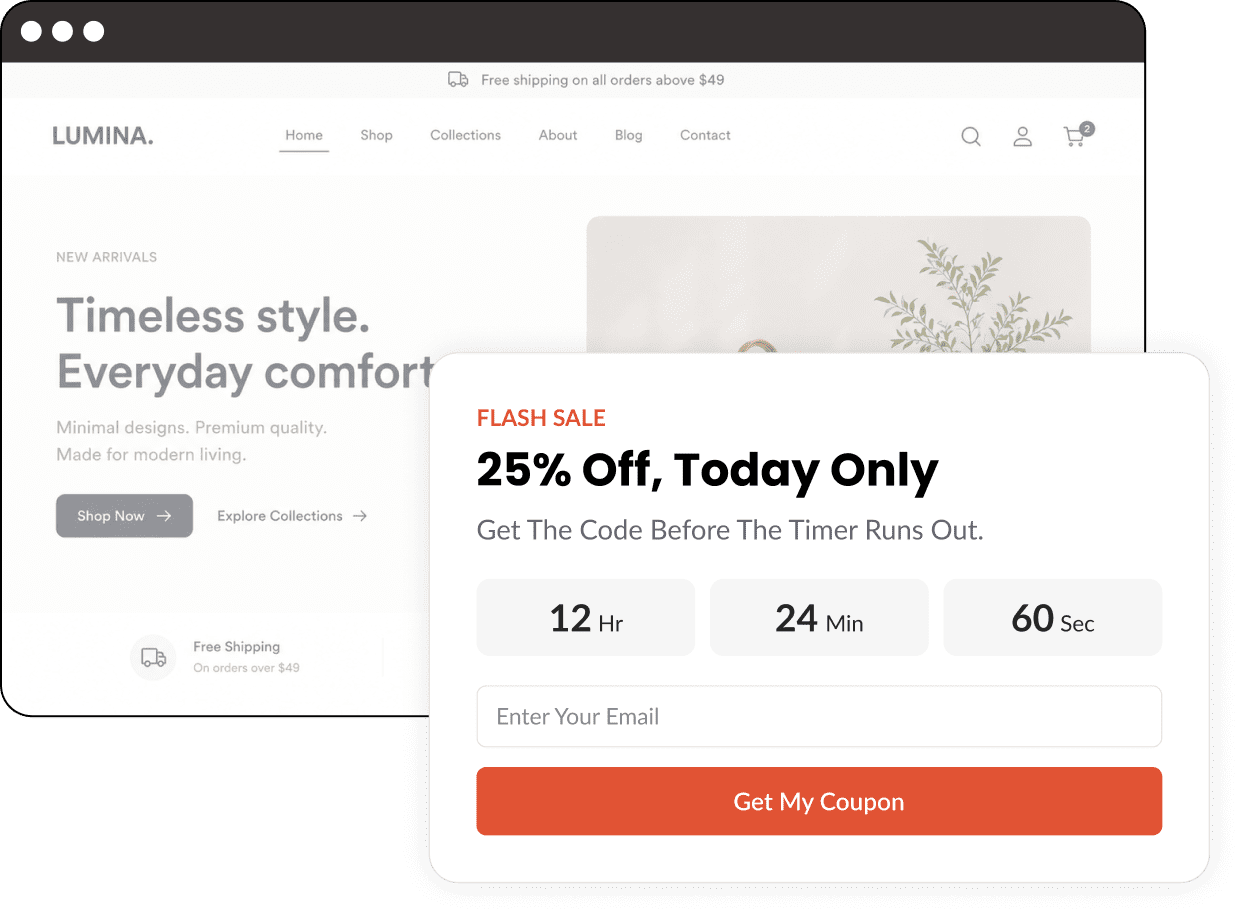
A popup built with the Adflipr popup builder
Page targeting matters more than people think: your cart page and your blog probably shouldn't show the same offer. Popups work on Shopify and, since August 2026, on WooCommerce too, switched on automatically for stores that were already connected.
More here: Popups and forms
5. Campaigns
For one-off sends (a launch, a sale, a restock, a newsletter), you build the email in the same builder, pick a list, run the audit and send it. Scheduling is on the Premium plan. Basic campaign reporting shows how each one did.
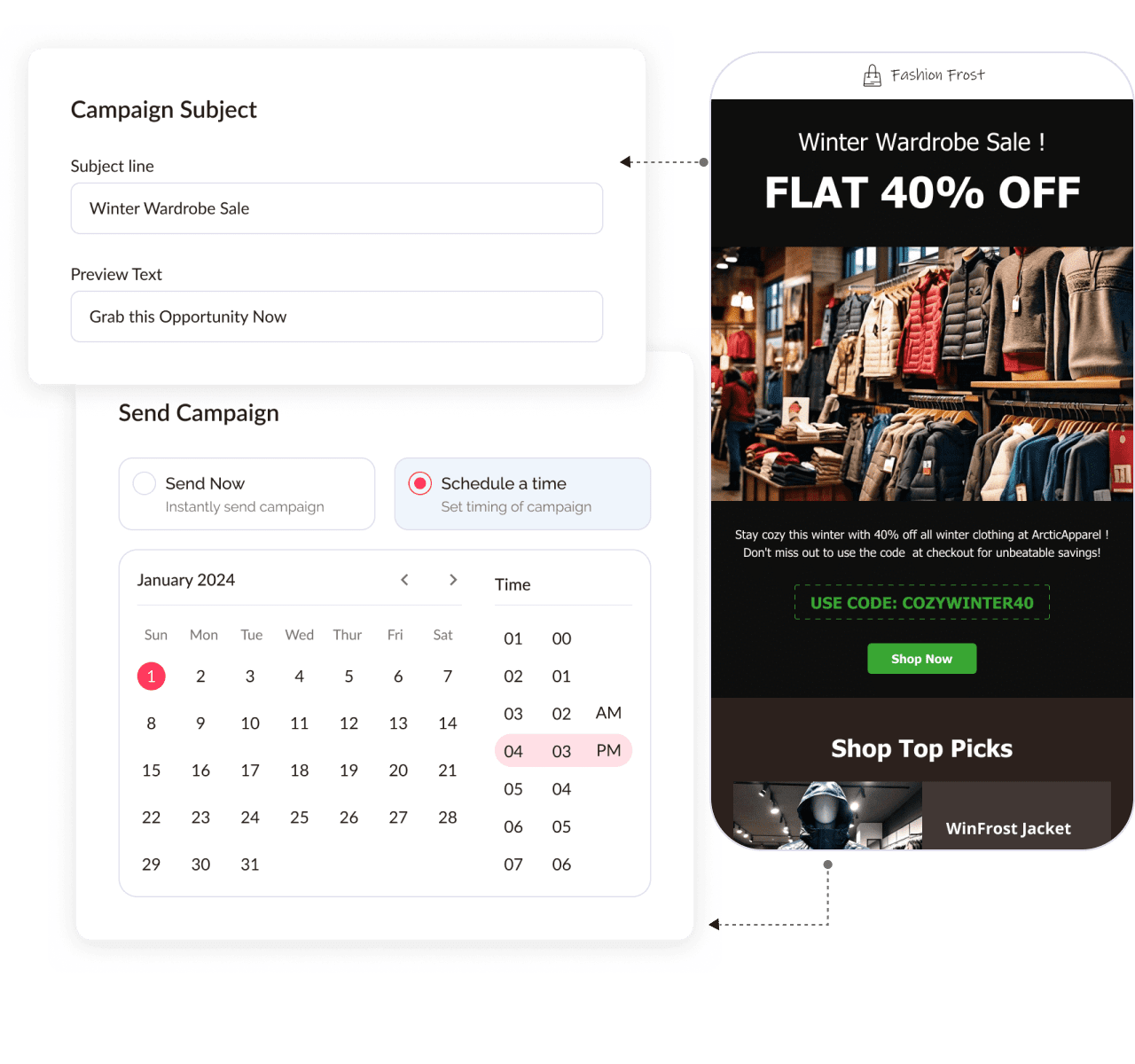
Setting up a campaign: subject line, preview text, send now or schedule
6. AI across the app
AI in Adflipr isn't limited to subject lines. Describe what you want, and it can generate:
- Forms and popups for growing your list,
- Emails in the drag-and-drop builder,
- Campaigns,
- Automations,
- Subject lines and email copy.
Treat what it generates as a first draft: check the offer, the products and the tone before anything goes live. And if there's something else you'd like AI to do for you, email us at support@adflipr.com. More AI features get added on request.
There's also a free AI Subject Line Generator on our site, no account needed: describe the campaign and it gives you several options to pick from.
7. WhatsApp Business integration (new)
Adflipr now connects to WhatsApp too. You link your WhatsApp Business account, and WhatsApp becomes another channel next to email and web push, using the same store data and the same contact list.
What you can do with it:
- Cart reminders on WhatsApp: a reminder showing the products left behind, with a link straight back to checkout.
- Broadcasts: send a sale or a launch to your full list or a chosen segment, with images, offers and buttons, and schedule it.
- Product messages: product images, prices and a "Shop Now" button right inside the chat.
- Order and delivery updates: confirmed, shipped, out for delivery and delivered alerts, sent automatically.
- Inbox: reply to customers one-on-one from Adflipr when they answer a reminder or ask about an order.
- WhatsApp as a flow step: add "Send WhatsApp" to an automation, next to "Send Email" and "Send Push".
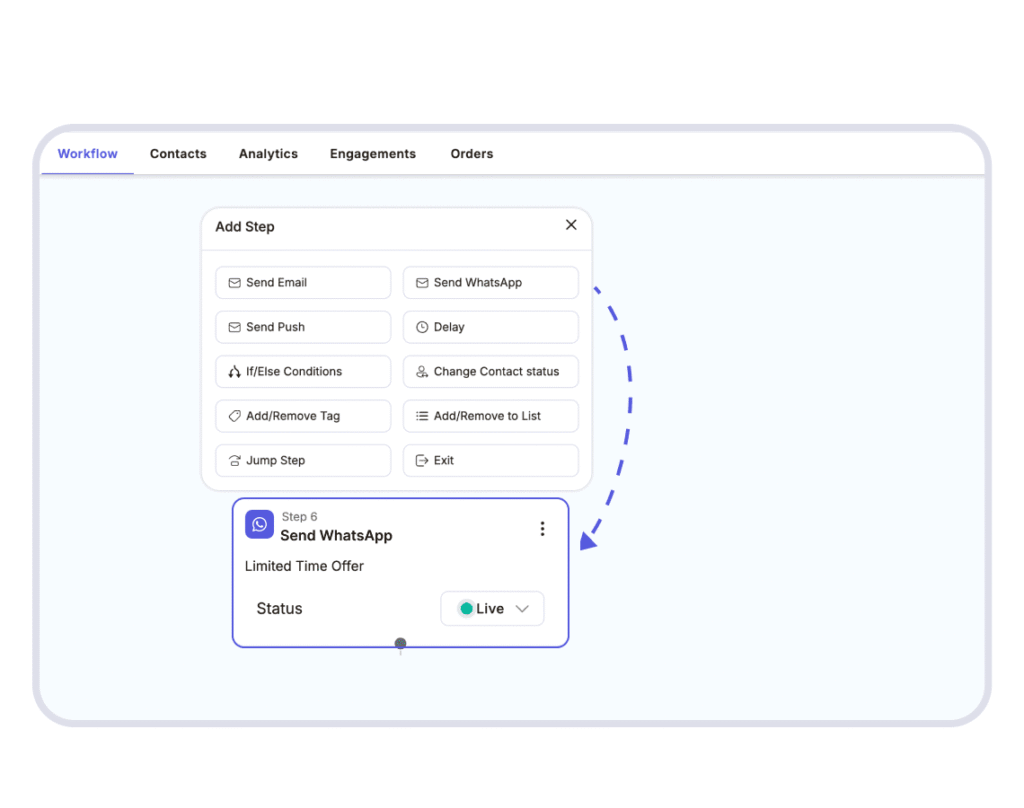
A workflow in Adflipr with Send WhatsApp as a step next to Send Email and Send Push
WhatsApp is more personal than an inbox, so the same rule as email applies, only stricter: fewer, better messages based on what each shopper actually did, and only to people who agreed to hear from you there. Order updates and a single cart reminder usually feel helpful; daily promos in a chat app don't.
More here: WhatsApp marketing
8. Integrations
On Shopify, the listing shows Adflipr works with Checkout, Google Sheets, Growave, Klaviyo, Mailchimp, Omnisend and Webpush. Google Sheets sync was added in August 2026. Web push notifications are live in the app too.
More here: Integrations
Free tools, no signup
Even if you never use Adflipr, these are free on our site and need no signup:
- Email Auditor: check an email before you send it.
- AI Subject Line Generator
- Cart Abandonment Revenue Calculator: estimate what abandoned carts cost your store.
- UTM Link Builder: tag links so you can see which emails and posts drive traffic.
- Email Marketing Calculator & ROI Generator
All here: Free email marketing tools
Pricing
Adflipr is free to install on Shopify. As listed on the Shopify App Store (September 2026):
- Free: 300 emails a month, 3 campaigns, 1 user, popups and forms, live products and coupons.
- Standard, $10/month ($96/year): 10,000 emails a month and unlimited automations.
- Premium, $25/month ($240/year): unlimited sends, scheduling and template auditing.
Check the pricing page or the Shopify listing for the current plans before you decide.
How Adflipr compares to 10 other email marketing tools
People usually ask how we compare with the tools they've already heard of. Here's a plain comparison with ten of them. Every detail about the other tools comes from that company's own pricing page, app listing or official plugin, checked on October 4, 2026. Plans change often, so check the links at the end of this section before you decide.
| Tool | Channels | Stores | Free plan | Paid plans |
|---|---|---|---|---|
| Adflipr | Email, WhatsApp (WhatsApp Business), web push, popups and forms | Shopify app, WooCommerce plugin | 300 emails a month, 3 campaigns, 1 user | Standard $10/month (10,000 emails), Premium $25/month (unlimited sends), per the Shopify listing |
| Klaviyo | Email, SMS and mobile messages, mobile app marketing, helpdesk | Shopify, WooCommerce and others | Up to 250 active profiles, 500 emails a month, $5 of mobile messages | Priced by active profiles |
| Omnisend | Email, SMS, web push | Shopify, WooCommerce and others | 250 contacts, 500 emails a month | Priced by contacts |
| Mailchimp | Email; SMS as a paid add-on in select countries | Shopify, WooCommerce and others | Under 250 contacts, up to 500 emails a month, no automation flows | Priced by contacts |
| Shopify Messaging | Email, SMS, WhatsApp | Shopify only | First 10,000 emails a month | $1 per 1,000 emails after the free 10,000 |
| Brevo | Email and SMS; WhatsApp, popups and push on the Professional plan | Shopify, WooCommerce and others | Up to 300 emails a day | Priced by monthly email volume |
| MailerLite | Shopify, WooCommerce and others | Up to 250 subscribers, 2,500 emails a month | Priced by active subscribers | |
| ActiveCampaign | Email; SMS and WhatsApp as add-ons | Shopify, WooCommerce and others | No free plan (14-day trial) | Priced by contacts |
| GetResponse | Email, web push; SMS on Enterprise | Shopify, WooCommerce and others | 14-day trial, then a limited free version | Priced by contacts |
| Constant Contact | Email, social posting; SMS for US customers | Shopify, WooCommerce and others | No free plan (free trial) | Priced by contacts and email sends |
| Privy | Email, SMS (US and Canada), popups | Shopify, BigCommerce, Wix | No free plan (15-day trial) | Priced by mailable contacts |
Where Adflipr fits: if you run a Shopify or WooCommerce store and want cart recovery, live store blocks, popups, campaigns and WhatsApp in one simple tool, that's what Adflipr is built for. Our free plan is smaller than several in this table (300 emails a month), so it's best for trying the setup; Standard covers 10,000 emails a month for $10.
Sources (checked October 4, 2026): Klaviyo, Omnisend, Mailchimp, Shopify Messaging, Brevo, MailerLite, ActiveCampaign, GetResponse, Constant Contact, Privy, Adflipr on the Shopify App Store.
What's next: SMS
SMS is the next channel in our pipeline. Email, WhatsApp and web push already run from one contact list and one flow builder, and SMS is what we're working on now. We'll share the details here on the blog when it's ready to use.
Is Adflipr right for you?
A quick way to check. Adflipr is likely a good fit if most of these sound like your store:
- You sell on Shopify or WooCommerce. Adflipr is built for those two platforms: an app on the Shopify App Store and a free plugin on WordPress.org.
- You want the essentials in one place. Popups to grow the list; welcome, cart, post-purchase and winback flows; campaigns; and WhatsApp and web push in the same flows, all from one contact list.
- Your team is small. You'd rather have a tool you can learn in an afternoon than one that needs a specialist, and AI drafts forms, emails, campaigns and automations for you to review.
- You want your store data in every email. Live products, prices, coupons and carts, without copying anything by hand.
- You're watching costs. There's a free plan for trying the setup, and Standard covers 10,000 emails a month for $10 on the Shopify listing.
- You're starting with email and WhatsApp. SMS is next in our pipeline, so if SMS has to be your main channel today, keep an eye on this blog for that launch.
Still not sure? Create a free account, connect your store and set up one flow. Within a week you'll know whether it fits the way you work. Questions first? Email support@adflipr.com.
Getting started
A simple order that works for most stores:
- Connect your store (Shopify app or WooCommerce plugin).
- Put a popup on the site so the list starts growing.
- Turn on a welcome series.
- Set up abandoned cart recovery.
- Add a post-purchase follow-up.
One flow a week is plenty. You'll see what each one does before adding the next.
You can find everything at adflipr.com. If you try it and something's missing for your store, tell us or email support@adflipr.com. That feedback shapes what we build next.
About the author: Kanishak Sharma writes Adflipr's guides on email marketing, marketing automation and SEO for Shopify and WooCommerce stores. More from Kanishak on his Adflipr author page and LinkedIn.


Comments
Post a Comment